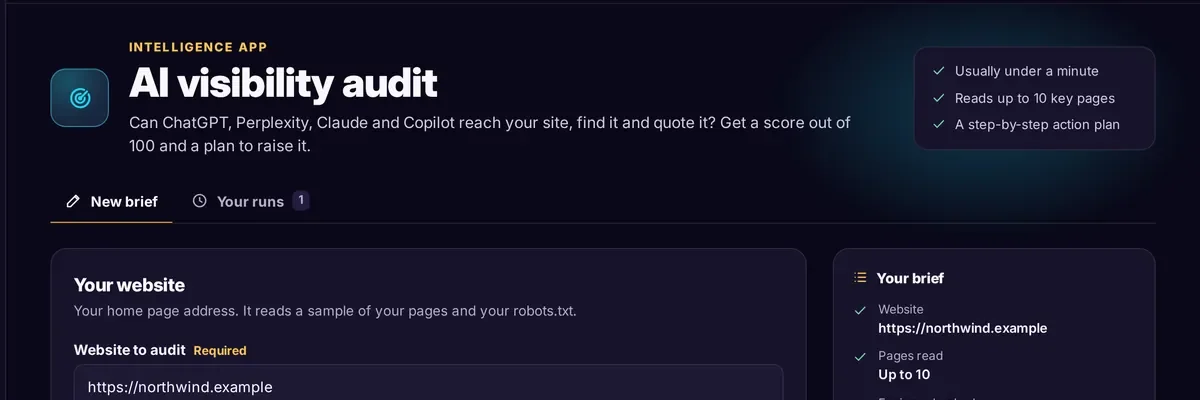
AI search tools answer a question by fetching pages, picking passages and quoting them, often with a link. Whether your company appears depends on three things in order: whether the tool can reach your site, whether it can find your pages, and whether the pages contain something worth quoting. This guide takes those in turn, with a checklist at the end.
GEO, AEO and SEO: what is the difference?
The names overlap, and in practice they describe one piece of work from slightly different angles.
- SEO (search engine optimisation) aims to rank your pages in a list of links.
- GEO (generative engine optimisation) and AEO (answer engine optimisation) aim to make your pages the source an AI-written answer draws on and quotes.
Most of the groundwork is shared. Google states that there are no additional requirements to appear in AI Overviews or AI Mode, no special optimisations, and no new machine-readable files or markup needed: a page has to be indexed and eligible to show with a snippet in Google Search. In my opinion that is the right way to think about it. Treat AI visibility as an extension of good SEO with a few extra checks rather than a separate discipline.
Step 1: Let the right AI crawlers in
Each AI company runs more than one bot, and the bots do different jobs. Some collect content for training models, some build a search index, and some fetch a page on the spot when a person asks a question. You can allow one kind and block another.
| Bot | Run by | What it does |
|---|---|---|
| OAI-SearchBot | OpenAI | Surfaces sites in ChatGPT's search features |
| GPTBot | OpenAI | Crawls content that may be used to train OpenAI's models |
| ChatGPT-User | OpenAI | Visits a page when a ChatGPT user's request needs it; robots.txt rules may not apply |
| Claude-SearchBot | Anthropic | Indexes content to improve the relevance of Claude's search answers |
| ClaudeBot | Anthropic | Collects content that may be used for training |
| Claude-User | Anthropic | Visits a page when a Claude user's question needs it |
| PerplexityBot | Perplexity | Surfaces and links sites in Perplexity search results; not used to train models |
| Perplexity-User | Perplexity | Fetches a page when a user asks; generally ignores robots.txt |
| Google-Extended | A robots.txt token that controls use of your content for Gemini training and grounding; no effect on inclusion in Google Search |
If you want to appear in AI answers, the search and index bots matter most: OAI-SearchBot, Claude-SearchBot and PerplexityBot. Whether to allow the training bots (GPTBot, ClaudeBot) is a separate decision for your business, and blocking them does not remove you from search answers. Check your own robots.txt file at yourdomain.com/robots.txt and look for blanket "Disallow" rules, or rules naming any of the bots above that you did not intend.
An example that allows the search bots and opts out of training:
User-agent: OAI-SearchBot
Allow: /

User-agent: PerplexityBot
Allow: /

User-agent: Claude-SearchBot
Allow: /

User-agent: GPTBot
Disallow: /

User-agent: ClaudeBot
Disallow: /
Two further points. First, robots.txt is only one gate. A firewall, CDN or bot-protection service can block these bots even when robots.txt allows them, and OpenAI recommends allowing its published IP ranges as well. Anthropic advises against blocking its IP addresses as a way to opt out, because it can stop the bots reading your robots.txt. Second, changes can take around 24 hours to take effect, according to OpenAI and Perplexity.
Step 2: Make your pages easy to find
A crawler that can enter still needs a route to each page.
- Publish an XML sitemap and reference it in robots.txt. List only pages you want found, and keep the dates current.
- Check indexing. Make sure key pages do not carry a "noindex" tag and are not blocked by robots.txt. Google Search Console shows which pages are indexed.
- Clean up redirects. One redirect is fine. Chains of three or four waste crawl effort, and broken redirects end in an error page.
- Put important text in the page itself. If your product description loads only after scripts run, view the page source and check the words are there. Text that is present in the HTML can be read by any crawler.
- Give every key page one address. Use canonical tags where several addresses show the same content.
Step 3: Write pages worth quoting
An AI engine quotes passages. A passage gets chosen when it answers the question directly and contains something specific.
- Lead with the answer. Open each page or section with one or two plain sentences that answer the question in the heading.
- Say who it is for. "Payments platform for regulated B2B marketplaces" is quotable. "A next generation solution" is not.
- Use facts that can be checked. Dates, versions, prices, supported regions, certifications, named integrations. State where a figure comes from, and leave out any you cannot source.
- Match the questions buyers ask. Pricing, comparisons, "how does X work", "X vs Y", implementation time. A short FAQ section on a page works well for this.
- Show who wrote it. Name an author, add a date, and keep an About page that says what the company does, for whom, and since when.
- Use structure. Descriptive headings, short paragraphs, tables for comparisons and numbered lists for processes are easier to lift cleanly than long unbroken text.
A useful test is to cover your logo and read a paragraph on its own. If it still tells a stranger something definite and correct, it can be quoted.
Step 4: Add machine-readable labels
Structured data (schema.org markup, usually added as JSON-LD) tells engines what a page is. Useful types for a B2B company include Organization (with links to your official profiles), Article or BlogPosting, Product or SoftwareApplication, and FAQPage where a page really contains questions and answers. Google's guidance is to keep structured data consistent with the visible text of the page, so mark up only what readers can see. Also keep titles, meta descriptions and headings accurate, since these are often the first thing an engine reads.
Step 5: Check what AI tools say about you
Ask the tools directly. Take ten questions a buyer might type, such as "best [category] providers for [industry]" or "what does [your company] do", and run them in ChatGPT, Perplexity, Claude, Copilot and Gemini. Note whether you appear, how you are described, and which sources are cited.
Answers vary from one run to the next, so judge patterns across several questions rather than a single result. If a competitor or a directory keeps being cited where you are absent, that tells you which pages and third-party profiles to improve first. Repeat the check monthly and keep a simple sheet of questions and results. You can also look in your analytics for visits referred from sites such as chatgpt.com and perplexity.ai.
AI search visibility checklist
- robots.txt does not block OAI-SearchBot, Claude-SearchBot or PerplexityBot
- You have decided, on purpose, whether GPTBot, ClaudeBot and Google-Extended are allowed
- Firewall or CDN bot rules do not block the search bots
- An XML sitemap exists, is referenced in robots.txt and lists only live pages
- Key pages are indexable, with no stray "noindex" tags
- Redirects are short and none end in an error
- Important text appears in the page HTML
- Each key page opens with a direct answer
- Facts on the page are specific, dated and sourced
- Organization, Article and product markup matches the visible text
- Author, date and an About page are visible
- You test ten buyer questions in the main AI tools every month
What to expect
No one can guarantee a citation. AI tools choose sources differently each time, and your work improves the odds that your pages are reachable and worth quoting, nothing more. The steps above also help ordinary search, so the effort does not depend on AI engines behaving a particular way.